



Evaluating API Access to SmartBackgroundChecks: A Compatibility Checklist for Engineering Teams
Turn an API access evaluation into a scoped engineering decision. Specify authorized resources, data minimization, failu...

Challenge handling: Process Cloudflare JS Challenge, Turnstile, supported DataDome slider and puzzle CAPTCHA, and Imperva / Incapsula verification workflows.
Proxy routing: Use rotating residential or datacenter proxies, HTTP/SOCKS5, or your own provider. Match regions and keep IPs and sessions consistent.
Request configuration: Configure TLS fingerprints, User-Agent and request headers to match your session and target requirements.
Developer integration: Use cURL, Python, Go, Node.js or Java request examples with your existing scraper.
Response handling: Retrieve HTML or JSON through protocol-level requests, then check response status and content before passing results to your parser.
Challenge handling, proxy routing and AI tool integrations.
Handle JS Challenge, Turnstile and WAF session checks while keeping your existing scraper and parser.
Handle supported slider and puzzle challenges, keep sessions consistent and validate returned content.

Route through residential, datacenter or custom proxies. Match regions and keep IPs and sessions consistent.

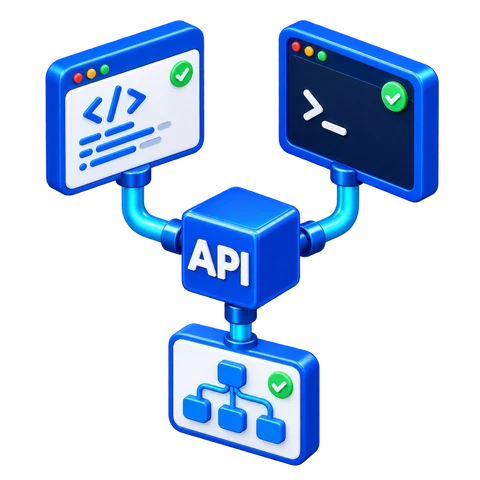
Use the API in AI coding tools, terminal tasks and workflows. Choose the integration that fits your tool.
Set the target, parameters and proxy
Handle challenges and select the route
Check response status and content
Extract data with your existing parser
V2(s) Part mode for Cloudflare JS Challenge and DataDome challenges. View all code examples
#!/usr/bin/env bash
set -euo pipefail
: "${CLOUDBYPASS_APIKEY:?Set CLOUDBYPASS_APIKEY first}"
: "${CLOUDBYPASS_PROXY:?Set CLOUDBYPASS_PROXY first}"
headers=$(mktemp)
body=$(mktemp)
trap 'rm -f "$headers" "$body"' EXIT
curl --fail-with-body --silent --show-error --max-time 130 \
--dump-header "$headers" --output "$body" \
"https://api.cloudbypass.com/your/path" \
--header "x-cb-apikey: $CLOUDBYPASS_APIKEY" \
--header "x-cb-host: example.com" \
--header "x-cb-version: 2" \
--header "x-cb-proxy: $CLOUDBYPASS_PROXY" \
--header "x-cb-part: 0" \
--header "x-cb-timeout: 120"
if ! grep -iq '^x-cb-status: *ok[[:space:]]*$' "$headers"; then
cat "$body" >&2
exit 1
fi
cat "$body"import os
import requests
key = os.environ["CLOUDBYPASS_APIKEY"]
proxy = os.environ["CLOUDBYPASS_PROXY"]
if not key or not proxy:
raise ValueError("Set API key and proxy first")
headers = {
"x-cb-apikey": key,
"x-cb-host": "example.com",
"x-cb-version": "2",
"x-cb-proxy": proxy,
"x-cb-part": "0",
"x-cb-timeout": "120",
}
response = requests.get(
"https://api.cloudbypass.com/your/path",
headers=headers,
timeout=(10, 130),
)
if response.headers.get("x-cb-status") != "ok":
raise RuntimeError(response.text)
response.raise_for_status()
print(response.text)package main
import (
"fmt"
"io"
"log"
"net/http"
"os"
"time"
)
func main() {
key, proxy := os.Getenv("CLOUDBYPASS_APIKEY"), os.Getenv("CLOUDBYPASS_PROXY")
if key == "" || proxy == "" { log.Fatal("Set API key and proxy first") }
req, err := http.NewRequest("GET",
"https://api.cloudbypass.com/your/path", nil)
if err != nil { log.Fatal(err) }
req.Header.Set("x-cb-apikey", key)
req.Header.Set("x-cb-host", "example.com")
req.Header.Set("x-cb-version", "2")
req.Header.Set("x-cb-proxy", proxy)
req.Header.Set("x-cb-part", "0")
req.Header.Set("x-cb-timeout", "120")
client := &http.Client{Timeout: 130 * time.Second}
res, err := client.Do(req)
if err != nil { log.Fatal(err) }
defer res.Body.Close()
body, err := io.ReadAll(res.Body)
if err != nil { log.Fatal(err) }
if res.Header.Get("x-cb-status") != "ok" || res.StatusCode >= 400 {
log.Fatal(string(body))
}
fmt.Println(string(body))
}async function main() {
const key = process.env.CLOUDBYPASS_APIKEY;
const proxy = process.env.CLOUDBYPASS_PROXY;
if (!key || !proxy) throw new Error("Set API key and proxy first");
const response = await fetch(
"https://api.cloudbypass.com/your/path",
{
headers: {
"x-cb-apikey": key,
"x-cb-host": "example.com",
"x-cb-version": "2",
"x-cb-proxy": proxy,
"x-cb-part": "0",
"x-cb-timeout": "120",
},
signal: AbortSignal.timeout(130000),
}
);
const body = await response.text();
if (response.headers.get("x-cb-status") !== "ok" || !response.ok) {
throw new Error(body);
}
console.log(body);
}
main().catch(error => {
console.error(error.message);
process.exitCode = 1;
});import java.net.URI;
import java.net.http.HttpClient;
import java.net.http.HttpRequest;
import java.net.http.HttpResponse;
import java.time.Duration;
public class Main {
public static void main(String[] args) throws Exception {
String key = System.getenv("CLOUDBYPASS_APIKEY");
String proxy = System.getenv("CLOUDBYPASS_PROXY");
if (key == null || key.isBlank() || proxy == null || proxy.isBlank()) {
throw new IllegalStateException("Set API key and proxy first");
}
HttpClient client = HttpClient.newBuilder()
.connectTimeout(Duration.ofSeconds(10)).build();
HttpRequest request = HttpRequest.newBuilder()
.uri(URI.create("https://api.cloudbypass.com/your/path"))
.timeout(Duration.ofSeconds(130))
.header("x-cb-apikey", key)
.header("x-cb-host", "example.com")
.header("x-cb-version", "2")
.header("x-cb-proxy", proxy)
.header("x-cb-part", "0")
.header("x-cb-timeout", "120")
.GET().build();
HttpResponse<String> response = client.send(
request, HttpResponse.BodyHandlers.ofString());
if (!response.headers().firstValue("x-cb-status").orElse("").equals("ok")
|| response.statusCode() >= 400) {
throw new IllegalStateException(response.body());
}
System.out.println(response.body());
}
}V1 includes rotating proxies. V2(s) requires a fixed or sticky proxy. V2s uses x-cb-version: 2s for streaming responses.
For Turnstile, set x-cb-sitekey and place [cf_token] where the target request expects the token.
Keep the same proxy within a session partition. Use a different x-cb-part (0–999) for each concurrent worker.
Register a Scrapingbypass API account - Sign Up Now
Register a Scrapingbypass Proxy account - Sign Up Now
One account gives you API and proxy access. Log in within 30 days and open Trial Activity from the gift icon to claim trial credits and traffic.
Use the Code Generator to configure and test Cloudflare or DataDome requests. Both use the same integration logic and request code. Keep the proxy IP, cookies and session consistent.
V1 includes a rotating proxy. V2(s) requires a stable proxy IP; configure a sticky session of at least 10 minutes when using Scrapingbypass rotating proxies.
For assistance, see the API documentation or contact Scrapingbypass Support.
Integrate your tested request code into the application. Cloudflare and DataDome share the same API integration and call pattern. Validate response status and content before parsing, pagination or automation.
After testing, choose a plan based on your usage. Cloudflare and DataDome share the same API credits, consumption rules and pricing. View Pricing
For proxy traffic, select a Rotating Datacenter or Rotating Residential proxy plan.
Cloudflare and DataDome challenge handling consume API credits; some workflows also need a proxy. API credits and proxy traffic are billed separately. A proxy connection does not replace CAPTCHA handling.

Keep verification handling separate from your parser. Scrapingbypass handles Cloudflare JS Challenge, Turnstile and supported DataDome slider or puzzle CAPTCHA. Integrate the relevant workflow, then extract business data from the returned content.
Cloudflare and DataDome share the same API integration logic and request code.
Check status and HTML / JSON for block or challenge pages before extracting business data.
Customize Referer and headers to fit the target verification flow.
Send business data via JSON payloads or form parameters.
Handle URL query parameters for search, paging, and filtering.
Use external proxy IP and rotating IP pools for geo-matching access.
Use standard HTTP requests and the same integration logic and request code for Cloudflare and DataDome, without replacing your scraper framework. Keep the proxy IP, cookies and session consistent and validate response status and content.
Test with native cURL in one command to verify Cloudflare challenge handling, with minimal setup.
Use requests or aiohttp for HTTP requests and asynchronous collection.
Leverages Go concurrency with fast, type-safe APIs for large-scale scraping workloads.
Fits full-stack apps and automation tools, enabling fast request routing in services or scripts.
Built for enterprise standards, supports multithreaded calls for steady access in complex flows.
Includes full type definitions to improve reliability across modern web scraping pipelines.


Keep TLS fingerprints, User-Agent, request headers, cookies and proxy IPs consistent throughout verification. When investigating a DataDome CAPTCHA loop, 403 or 429 response, check the target response, routing and session parameters together.
Syncs updates fast and supports protocol-level handling for new bot checks.
Handle Cloudflare JS Challenge and Turnstile in supported workflows.
Mimics traffic source paths for sites with strict origin validation.
Large real-device UA pool for desktop and mobile, with easy switching.
Works with Web Application Firewall (WAF) and CDN protection layers, including Imperva and Akamai.
Protocol-level headless browser simulation with JavaScript rendering efficiency for faster data extraction.
Use HTTP requests from Windows, macOS, Linux or cloud services to integrate supported Cloudflare and DataDome verification workflows. The access layer retrieves HTML or JSON; your application remains responsible for parsing, retries and task scheduling.
Fits Windows workflows for local debugging and fast delivery of small-to-mid data extraction jobs.
Works smoothly on Apple Silicon, making scripting, testing, and iteration faster for developers.
Optimized for mainstream Linux, with Docker deployments and horizontal cluster scaling.
Meets enterprise stability needs and runs long-term in traditional IDC environments.
Supports mobile protocol forwarding for iOS testing and mobile data extraction access.
Fits Android API calls and helps automated access pass cloud firewall checks reliably.

Connect challenge handling and proxy sessions to your data collection workflow.


Use Cases
Explore AI automation and all data collection use cases
For permitted retail, inventory and ticketing data collection, combine supported DataDome CAPTCHA handling with the appropriate proxy route. Keep the region, session and request parameters consistent before pagination and parsing.

|
|
Monitor product listings, prices, stock, promotions and reviews across permitted retail sources. |

|
|
Track permitted ad creatives, landing-page changes and campaign signals for market research. |

|
|
Monitor permitted public posts, engagement and sentiment for social listening and trend analysis. |

|
|
Organize permitted media metadata and licensed assets into searchable reference libraries. |

|
|
Collect permitted publication updates, topic pages and release information for research and monitoring. |

|
|
Collect permitted market prices, historical records and timestamps for research, alerts and analytics. |

|
|
Monitor job listings, hiring demand, skills and salary ranges across permitted sources. |

|
|
Track permitted property listings, local businesses and pricing changes for regional market research. |

|
|
Monitor permitted fares, availability and policy updates with dates, currency and region preserved. |

|
|
Track permitted offers, discount changes and expiry dates for campaign comparisons. |

|
|
Monitor permitted schedules, container events and freight rates with shipment IDs and timestamps. |

|
|
Collect permitted public risk indicators and source evidence for review, scoring and alerts. |
Cloudflare and DataDome share one API credit balance, consumption rules and pricing. Choose a plan based on your usage; proxy traffic is billed separately.
V1 and V2(s) consume 1 API credit for each successful request.
When V2(s) successfully completes a verification challenge, it consumes 2 additional credits. This covers supported Cloudflare JS Challenge, Cloudflare Turnstile, DataDome and Incapsula challenges.
An unsuccessful request does not consume the base request credit. However, the 2 challenge credits are deducted as soon as verification succeeds and are not refunded if the subsequent response fails.
Reusing a valid session can reduce repeated challenges, but each successful request still consumes 1 credit. Subsequent requests within the session are not free.
Use credits before the plan expires. Packages retain separate expiry dates, and credits expiring soonest are used first.
Use standard HTTP requests and the same integration logic and request code for Cloudflare and DataDome, without replacing your scraper framework. Keep the proxy IP, cookies and session consistent and validate response status and content. Support for a specific target still depends on the site and challenge type. Test compatibility first; a shared plan does not guarantee access to every target.
Cloudflare and DataDome share the same API integration logic and request code.
The Scrapingbypass API is designed to be simple and developer-friendly.
You only need to submit the HTTP request intended for the target website, and Scrapingbypass will forward it exactly as provided.
You can use the online code generator to generate request examples in cURL, JavaScript, TypeScript, Java, Python, and more.
Scrapingbypass API and Proxy integration examples are available here:
View code examples
Scrapingbypass V2(s) supports JavaScript rendering and polling, making it suitable for more advanced Cloudflare challenges.
V2(s) does not include a default proxy. You must use a Scrapingbypass Proxy with V2(s).
V1 includes a built-in rotating proxy by default.
Session partitions are used to manage Cloudflare cookies and verified sessions.
Once a session is successfully verified, the proxy IP, browser fingerprint, and related parameters must remain unchanged for 10 minutes.
This prevents additional Cloudflare challenges from being triggered during the session.
Session partition values range from 0 to 999, allowing up to 1,000 concurrent session partitions per account.
After a successful request, the proxy IP is locked to the session partition.
Changing the partition value allows you to switch proxies.
Each successful request refreshes the 10-minute session duration.
Start by testing your target URL using the
code generator with Scrapingbypass V1.
If V1 fails, switch to Scrapingbypass V2(s) and configure your own proxy IP.
A test proxy is available in the backend for validation.
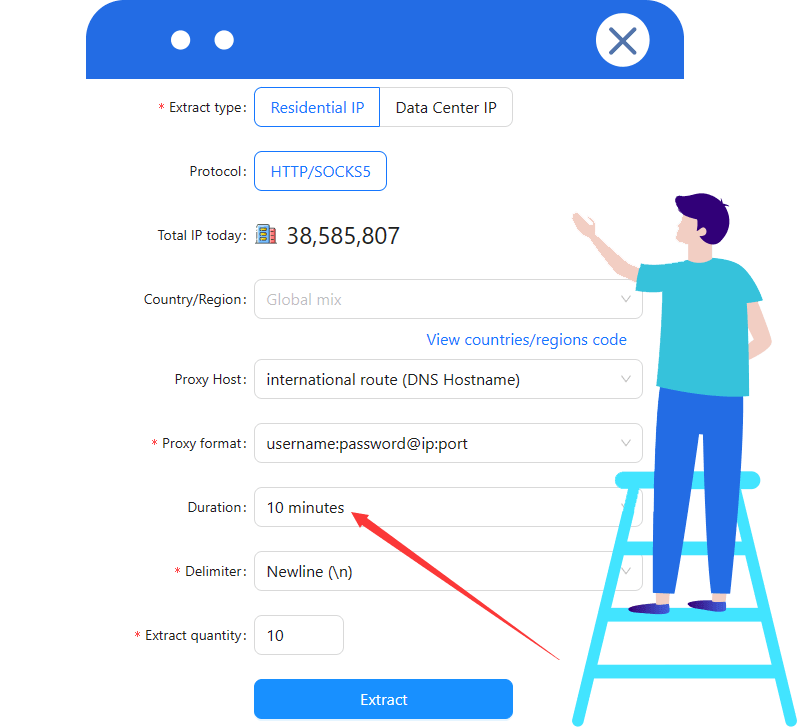
It is recommended to set the proxy extraction duration to more than 10 minutes.
All Scrapingbypass API plans currently support up to 30 concurrent requests per second.
This error indicates that your Scrapingbypass API account has no remaining credits.
You can purchase credits in the Scrapingbypass API console:
Scrapingbypass API Console,
or contact customer support to request test credits.
Error description:
This error occurs when the current session partition is already processing a Cloudflare challenge.
Common causes:
The same session partition is used concurrently by multiple threads.
Multiple users are operating on the same account and partition.
A previous request is still holding the verification lock.
Recommended solutions:
Wait for the lock to be released and retry the request.
Switch to a different session partition (range: 0-99).
Recommended actions:
1. Set the proxy IP extraction duration to at least 10 minutes.
2. Switch to proxy IPs from different countries or regions.
Using IPs from the same region repeatedly may increase the risk of restriction.
These errors usually indicate that a proxy is required. You can use either API mode or Proxy mode to access Scrapingbypass services. API mode is recommended for domestic users. Currently, only HTTP proxies are supported.
Browser automation tools such as Selenium and Puppeteer are not supported. Scrapingbypass operates at the HTTP request level and simulates browser requests without launching a real browser.
For supported DataDome slider and puzzle CAPTCHAs, reuse the Cloudflare API integration logic and request code. Both share API credits and pricing. Keep the proxy IP, cookies and session consistent, validate returned content and see the DataDome CAPTCHA solver API for instructions. A proxy provides the route, not CAPTCHA handling.
Scrapingbypass does not use monthly subscriptions. All Scrapingbypass Proxy services follow a traffic-based pricing model with no expiration. You can purchase traffic packages on demand, and unused bandwidth will never expire.
Scrapingbypass Proxy supports multiple payment methods, including Alipay, USDT, and other supported options depending on your region.
For Scrapingbypass Rotating Proxies, traffic usage is calculated based on the total volume of uploaded and downloaded data through the proxy connection.
IP geolocation results may vary depending on the detection database used. Please verify the proxy IP location using the official Scrapingbypass IP check tool: http://ipinfo.cloudbypass.com .
Scrapingbypass offers two core proxy networks: Rotating Residential Proxies and Rotating Datacenter Proxies. Both proxy types are designed for Cloudflare bypass scenarios and can be managed from a single unified platform.
Scrapingbypass Proxy currently supports both HTTP and SOCKS5 proxy protocols, ensuring compatibility with most scraping tools, browsers, and automation frameworks.
Scrapingbypass Proxy uses a traffic-based billing model for both rotating residential and datacenter proxies. All traffic packages do not expire. You may request a free trial to evaluate Cloudflare bypass performance before purchasing.
Direct connections from mainland China IP addresses are not supported.
To use Scrapingbypass Proxy services, you must deploy a global network environment, such as a server or VPS located in Hong Kong or other overseas regions.
Desktop users may connect via a global network accelerator, while mobile users can access through a router configured with a global network environment.
If you are unable to set up a compatible global network environment, please do not proceed with a purchase.
Refunds are not available for unsupported direct connections.

Scrapingbypass API significantly improved our data extraction efficiency, especially for websites protected by Cloudflare. The API is straightforward, easy to integrate, and saved us countless hours dealing with anti-bot restrictions.
Since adopting Scrapingbypass API, bypassing Cloudflare challenges has become effortless. It handles captchas reliably and allows uninterrupted access to the data pipelines we depend on.
Scrapingbypass simplified our web data collection workflow by automatically handling complex Cloudflare verifications. It's fast, stable, and extremely reliable in production environments.
As a market analyst working with large-scale web sources, avoiding 403 errors is critical. Scrapingbypass API ensures consistent access to protected pages and delivers clean, usable data.
Scrapingbypass makes bypassing Cloudflare protection simple. The documentation is clear, the API behavior is predictable, and integration was completed in minutes. Highly recommended for developers.
I was initially skeptical, but Scrapingbypass exceeded expectations. It consistently bypasses Cloudflare human verification and has become a core component of our data infrastructure.

Cloudflare and DataDome share the same API integration logic and request code. Cloudflare and DataDome share one API credit balance, consumption rules and pricing. Choose a plan based on your usage; proxy traffic is billed separately.
View More
Choose residential or datacenter traffic plans for HTTP, SOCKS5 and session routing. Proxy traffic and API verification serve different purposes and can be combined for the relevant workflow.
View More
Explore Cloudflare and DataDome verification guides, code examples and proxy setup, including request headers, TLS, User-Agent and response validation.
View More
Turn an API access evaluation into a scoped engineering decision. Specify authorized resources, data minimization, failu...
Control retry amplification in authorized TruePeopleSearch access tests. Set one task-level attempt budget, classify ter...
Keep a Python workflow testable when access handling changes. Define adapter outcomes, inject the fetch dependency and t...

Design context ownership for authorized SmartBackgroundChecks workflows that span workers. Make continuation, expiry and...
Triage TruePeopleSearch-related 403 incidents by response origin, ownership and recoverability. Keep API configuration f...
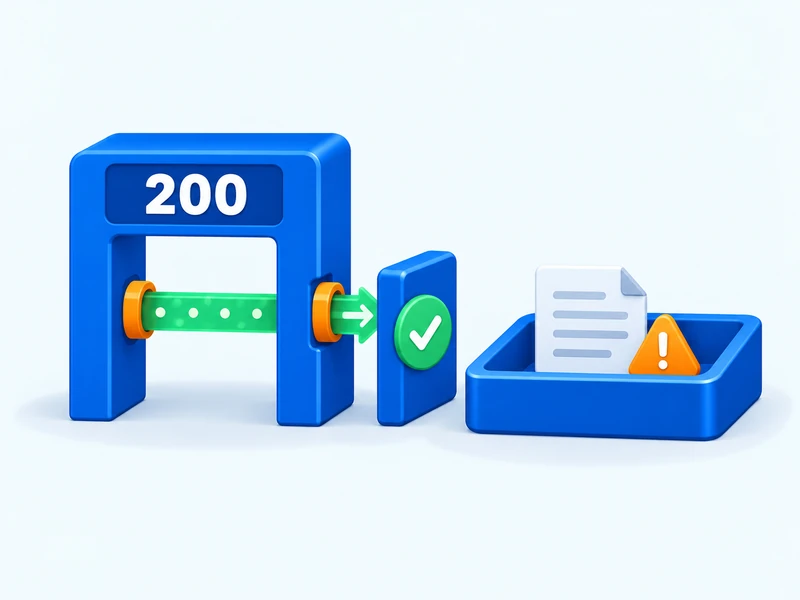
Separate transport completion from usable output in authorized FastPeopleSearch workflows. Define page identity, validat...